Table of Contents
- What Is API Integration?
- Why Do Businesses Need API Integration?
- 1. API Integration Reduces Manual Data Entry
- 2. It Helps Reduce Human Errors
- 3. It Automates Repetitive Business Workflows
- 4. It Connects CRM, ERP, Websites, and Other Software
- 5. It Provides Real-Time Information
- 6. It Improves Customer Experience
- 7. It Supports Business Growth
- Common Examples of API Integration
- Payment Gateway Integration
- CRM Integration
- E-Commerce Integration
- Accounting Software Integration
- Shipping and Logistics Integration
- Marketing Automation Integration
- Business Intelligence Integration
- API Integration vs Manual Data Transfer
- Important Considerations Before API Integration
- Data Security
- Compatibility
- Data Mapping
- Error Handling
- Scalability
- Monitoring and Maintenance
- Signs Your Business May Need API Integration
- How Logic Waves Tech Can Help
- Conclusion
How API Integration Helps Businesses Connect Software, Automate Workflows, and Reduce Manual Errors
Modern businesses often use several digital tools to manage their daily operations. A company may use one system for customer management, another for accounting, a separate platform for online payments, and additional software for inventory, marketing, communication, and reporting.
When these systems do not communicate with each other, employees must enter the same information repeatedly. This increases workload, delays processes, and creates a higher risk of human error.
API integration helps solve this problem by allowing different software applications to exchange information automatically.
What Is API Integration?
API stands for Application Programming Interface.
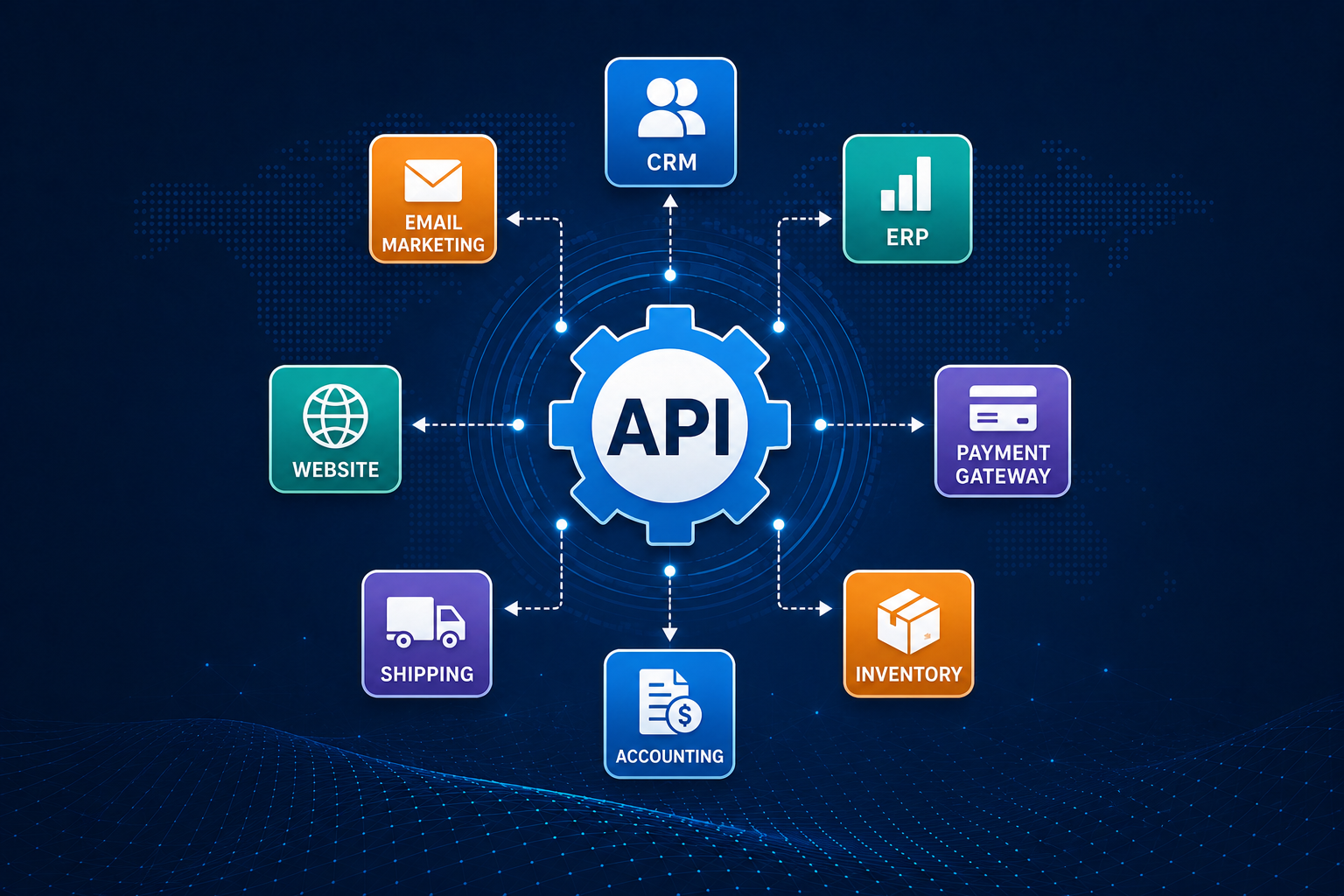
An API is a set of rules that allows one software application to communicate with another. API integration connects two or more applications so they can securely send, receive, and update information.
For example, when a customer places an order on an e-commerce website, API integration can automatically:
-
Send payment details to the payment gateway
-
Update inventory levels
-
Create an invoice
-
Add customer details to the CRM
-
Send an order-confirmation message
-
Notify the delivery system
Without integration, employees may need to complete many of these steps manually.
Why Do Businesses Need API Integration?
Businesses are becoming increasingly dependent on software. However, using several disconnected applications can create operational problems.
Employees may need to copy customer names, phone numbers, order details, invoices, and payment information from one system to another. This takes time and can result in incorrect or duplicate data.
API integration creates a connected digital environment where information moves automatically between systems.
This helps businesses:
-
Reduce repetitive work
-
Improve data accuracy
-
Speed up business processes
-
Deliver better customer service
-
Increase employee productivity
-
Access updated information
-
Scale operations more easily
1. API Integration Reduces Manual Data Entry
Manual data entry is one of the most common causes of operational inefficiency.
Employees may enter the same customer or order information into several platforms. This process is time-consuming and can lead to spelling mistakes, incorrect amounts, missing records, and duplicate entries.
API integration can automatically transfer data from one system to another.
For example, when a sales team adds a new customer to a CRM, the customer information can automatically be sent to billing, support, and email-marketing platforms.
This reduces unnecessary data entry and allows employees to focus on more valuable work.
2. It Helps Reduce Human Errors
Even experienced employees can make mistakes while handling large amounts of data.
Common manual errors include:
-
Entering the wrong customer details
-
Updating an incorrect inventory quantity
-
Creating duplicate invoices
-
Missing an important order
-
Sending information to the wrong department
-
Using outdated customer records
API integration improves accuracy because data is transferred directly between systems.
However, integrations must be properly planned, tested, and monitored. Incorrect API settings can also cause data problems, so professional implementation is important.
3. It Automates Repetitive Business Workflows
Many business processes involve several repetitive steps.
For example, after receiving a new customer enquiry, a business may need to:
-
Add the customer to the CRM
-
Assign the enquiry to a sales representative
-
Send an acknowledgement email
-
Schedule a follow-up task
-
Update the sales dashboard
API integration can automate these actions.
This creates faster and more consistent workflows. It also reduces the possibility of important tasks being forgotten.
4. It Connects CRM, ERP, Websites, and Other Software
Businesses often use different types of software for different departments.
These may include:
-
Customer Relationship Management systems
-
Enterprise Resource Planning software
-
Accounting applications
-
E-commerce platforms
-
Inventory-management systems
-
Payment gateways
-
Email-marketing tools
-
Human-resource software
-
Customer-support platforms
-
Business-intelligence dashboards
API integration allows these applications to work together.
For example, connecting an e-commerce website with inventory-management software ensures that stock quantities are automatically updated whenever a customer places or cancels an order.
5. It Provides Real-Time Information
Business decisions are more effective when they are based on accurate and updated information.
Disconnected systems may show different data. The sales system may show that a product is available, while the inventory platform shows that it is out of stock.
API integration can synchronize information between applications in real time or at scheduled intervals.
This helps managers and employees access more reliable information related to:
-
Sales
-
Inventory
-
Payments
-
Customer enquiries
-
Deliveries
-
Employee performance
-
Business expenses
Real-time data can improve planning and reduce delays.
6. It Improves Customer Experience
Customers expect fast responses, accurate information, and convenient services.
API integration can improve customer experience by connecting different stages of the customer journey.
For example, integration can help businesses:
-
Confirm payments immediately
-
Send automated order updates
-
Provide accurate delivery information
-
Show current inventory availability
-
Personalize customer communication
-
Maintain complete support histories
-
Respond to enquiries faster
When systems are connected, customers do not need to repeat the same information to different departments.
7. It Supports Business Growth
Manual processes may work for a small number of customers, but they become difficult to manage as the business grows.
As order volumes increase, employees may struggle to update inventory, create invoices, manage customer records, and prepare reports manually.
API integration makes business processes more scalable.
A connected system can handle larger amounts of data without requiring the company to increase manual work at the same rate.
This allows businesses to grow more efficiently.
Common Examples of API Integration
Payment Gateway Integration
Payment APIs connect websites and applications with payment providers.
They help businesses:
-
Accept online payments
-
Confirm transactions
-
Process refunds
-
Track payment status
-
Generate payment notifications
CRM Integration
CRM integration connects customer information with websites, sales systems, marketing tools, and support platforms.
It helps sales and service teams access complete and updated customer records.
E-Commerce Integration
E-commerce APIs can connect online stores with:
-
Inventory systems
-
Shipping partners
-
Payment gateways
-
Accounting tools
-
Customer-support platforms
-
Marketing applications
This helps automate order processing and fulfilment.
Accounting Software Integration
Accounting APIs can transfer invoice, payment, expense, and customer information into financial systems.
This reduces repeated bookkeeping work and improves financial record accuracy.
Shipping and Logistics Integration
Shipping APIs help businesses calculate delivery charges, generate shipping labels, track orders, and send delivery updates.
Marketing Automation Integration
Marketing APIs can connect websites and CRMs with email, messaging, and advertising platforms.
This helps businesses create automated campaigns based on customer actions.
Business Intelligence Integration
Business-intelligence tools can collect information from multiple applications through APIs.
This allows companies to create dashboards containing sales, customer, inventory, financial, and operational data.
API Integration vs Manual Data Transfer
Manual data transfer requires employees to copy and update information between systems.
This method may be suitable for very small and infrequent tasks, but it can become inefficient as data volume increases.
API integration offers several advantages:
-
Faster information exchange
-
Lower risk of duplicate records
-
Better data consistency
-
Reduced employee workload
-
More reliable workflows
-
Easier reporting
-
Improved business scalability
The right approach depends on the company’s requirements, software systems, budget, and data volume.
Important Considerations Before API Integration
API integration should be carefully planned.
Businesses should consider the following factors:
Data Security
Sensitive customer, payment, and business information must be protected.
Secure authentication, encrypted communication, access controls, and regular monitoring should be included.
Compatibility
Not every software platform offers the same API capabilities.
Businesses should check whether their existing applications support the required integration.
Data Mapping
Different systems may store information in different formats.
Proper data mapping ensures that information is transferred to the correct fields.
Error Handling
The integration should identify and manage failed transactions, missing data, and system interruptions.
Scalability
The API solution should be capable of handling future increases in users, transactions, and data.
Monitoring and Maintenance
APIs and third-party software may change over time.
Regular testing, updates, and monitoring are necessary to keep integrations working correctly.
Signs Your Business May Need API Integration
Your business may benefit from API integration when:
-
Employees enter the same information into several systems
-
Customer records are inconsistent
-
Orders are frequently delayed
-
Inventory updates are inaccurate
-
Reports require manual data collection
-
Teams use disconnected software
-
Customers repeatedly provide the same details
-
Business growth is increasing administrative work
-
Manual errors are affecting operations
These signs often indicate that business systems need better connectivity.
How Logic Waves Tech Can Help
Logic Waves Tech helps businesses connect software applications through secure and customized API integration solutions.
Our services can include:
-
Website and mobile-app API integration
-
CRM and ERP integration
-
Payment-gateway integration
-
E-commerce platform integration
-
Third-party software integration
-
Accounting-system integration
-
Custom API development
-
Workflow automation
-
Data synchronization
-
API testing and maintenance
Before developing an integration, it is important to understand the company’s existing systems, workflows, data requirements, and business objectives.
A properly planned API solution can reduce manual work, improve accuracy, and create smoother business operations.
Conclusion
Businesses no longer need to manage every software application separately.
API integration allows websites, CRM systems, payment gateways, accounting tools, inventory platforms, and other business applications to communicate with each other.
By connecting software and automating workflows, businesses can reduce manual data entry, minimize errors, improve productivity, and provide faster customer service.
API integration is not only a technical improvement. It is an important part of building efficient, scalable, and connected business operations.
Connect your business software, automate repetitive processes, and improve operational efficiency with customized API integration solutions from Logic Waves Tech.